


Showing posts with label Twitter. Show all posts
Showing posts with label Twitter. Show all posts
The Twitter Experiment

So after discovering twitter and this post on the Etsy Forums:
Sharing my Twitter Strategy : 11000 followers by CatherinetteRings
http://www.etsy.com/forums_thread.php?thread_id=6127828
http://www.etsy.com/forums_thread.php?thread_id=6127828
I was totally and utterly inspired. I figured that I had discovered one of those essential keys to success, a springboard that would launch my Etsy shop. Well....I was totally wrong, I found this approach was a total failure for me.
Now, don't get me wrong, this approach can work wonders for the right person but it didn't for me. I just want to lay out how I did it and why it failed for me.
What is this approach?
- Basically, using bulk upload programs, you receive hundreds, if not thousands of new twitter followers in a very short period of time.
What's my problem with it?
What's my problem with it?
- When I started using these mass following tools, I was getting so many new followers but sometimes, quality means more than quantity, and honestly, this was one of those times. It was like 1 in every 25 wasn't a spammer (i.e. click here to get rich now, follow my strategy to make millions, look at my boobs, etc).
- I was being flooded by the number of tweets, that were irrelevant or spammy. I couldn't really connect with anyone, it got boring really, really fast.
So after 5500 followers and I'm just going to delete the account, it would take way too much time to go through each and every follower, to filter out the bad ones.
What am I going to do?
- I'm deleting my current Twitter account and I just opened up a new Twitter account. One that I will choose who I follow carefully. To ensure each contact is someone I would like to talk to and here what they're doing.
What do I think the key to Twitter is?
- I think Twitter is about connecting with people have similiar interests, and if your running a business, they should be your target market too.
- Spam Bots are not your target market!
Well, I just wanted to share that will everyone. Hopefully, after reading this post, someone else will avoid making the same mistakes I did :(
Thanks for listening!


TWITTER GIVEAWAY!
 Really who doesn't love free stuff? Especially when it can obtained so easily! Right now, I'm running a Twitter promotion in order to giveaway this necklace:
How it works:
The 1115th RT wins, max 1 RT per hour!
Where do you enter:
Good luck to everyone! I will be posting the winner later!
Creating a Twitter Background out of your Etsy Mini
I created this tutorial to walk you through creating an Etsy mini that can be added to your Twitter background!
If you have any problems, or have any questions, please feel free to ask!
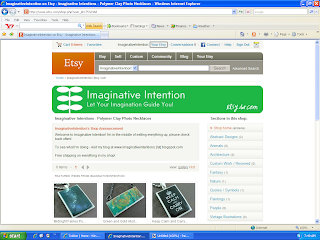
1.) Click on “Your Etsy” at the top of the screen.
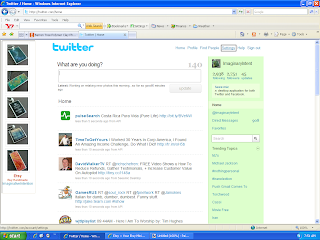
6.) Open Twitter. Select “Settings” at the top of the page.
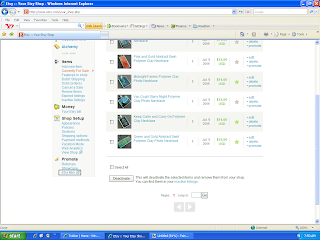
2.) Scroll down to the bottom of the page, and click on “Etsy Mini”.
3.)
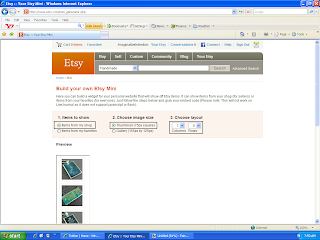
- Under “Items to Show” – select “Items from my shop”.
- Under “Choose Image Size” – select “Thumbnail (75px square)”
- Under “Items to Show” – select “Items from my shop”.
- Under “Choose Image Size” – select “Thumbnail (75px square)”
- Under “Choose Layout” – select “1” and “5”
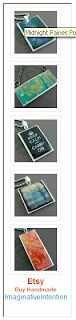
4.) Scroll down, your Etsy mini should appear underneath the option selection section. Make sure you can see your entire Etsy mini on screen. Using your keyboard, select Ctrl + Print Screen. You have just copied the entire screen.
5.) Open your image editing software program. Hit Paste. Your Etsy mini should appear on screen. Crop the image. Save the image.
6.) Open Twitter. Select “Settings” at the top of the page.
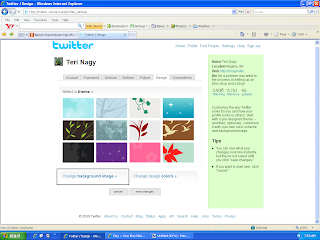
7.) Select “Design”.

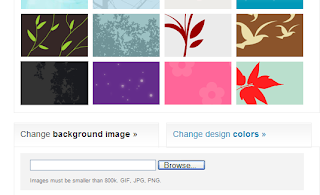
8.) Choose “Change Background Image”.
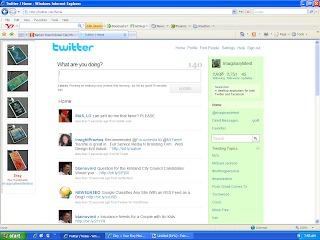 11.) VIOLA! You should have a new Twitter background of your Etsy images.
8.) Choose “Change Background Image”.
9.) Select “Browse”. Choose your Etsy mini image that you just saved. Select open.
10.) Select “Save Changes”.
11.) VIOLA! You should have a new Twitter background of your Etsy images.
Subscribe to:
Posts (Atom)
